In the previous post, I showed off what can be done with the help of AI coding assistants quickly. And then I thought “well, it’s great I can see files and execute power shell remotely through my agent, but can I actually come up with some sort of CUA? And what would it take?”.
It took one evening, about an hour of dedicated time in total. And what did I have to do? I had to explain what I want to the coding agent (it took a bit of explaining, including some diagramming, since, at first, it wanted to do it through open AI API-s etc), and, then, just let it build required toolset. There were a coupe of bugs to fix (and there can still be some more), but it’s already working. Here is an example:
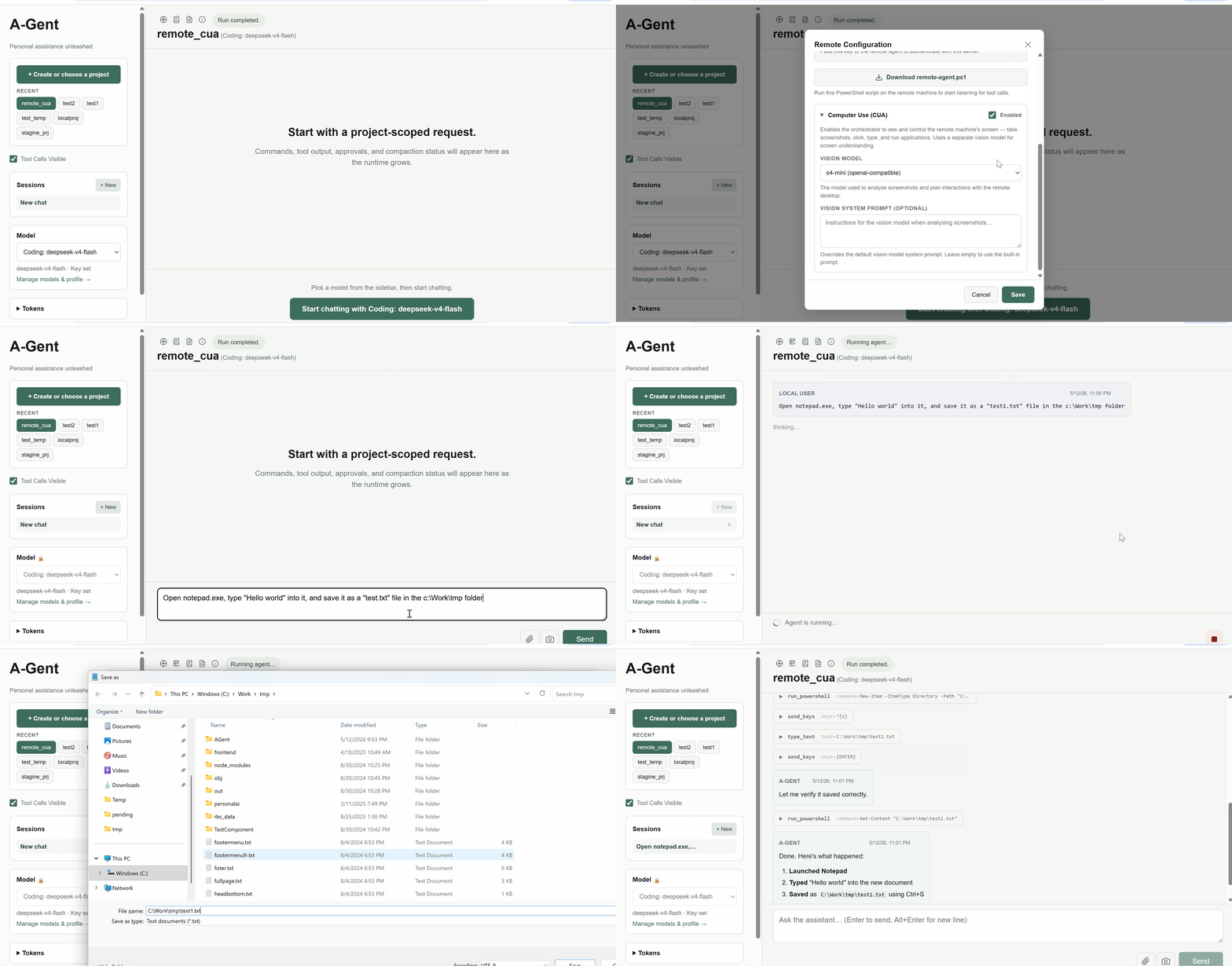
And, as if that was not good enough… here is a diagram that I just asked the agent to provide,and it did:
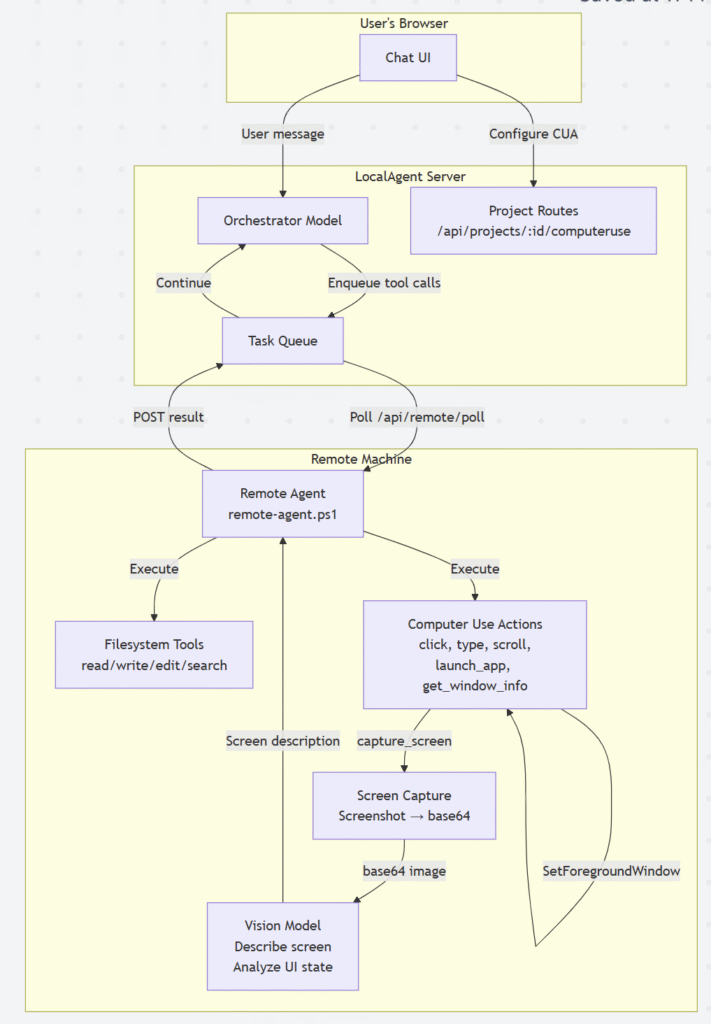
Can I say I wrote the code and prepared the diagram? Not at all. Of course this whole thing would not exist without me providing proper prompts, but I did not have to write a single line of code to implement this new addition (at least not so far). Isn’t that cool? (even if somewhat depressing… would take me forever to do the same myself)
PS. Have I cheated above? To some extent. I tried the same with Microsoft Word, and the agent was not able to figure out how to save the file, since Word’s “save file” dialog is somewhat more complicated. The file extension is “hardcoded” (docx), the options include onedrive, etc. However, I suspect that it can be handled in two ways: I can either put “save as” instructions right into the user prompt, or I can add “generic” Word-specific instructions right to the system prompt. Not that I need it right now, though. As a proof of concent that’s, already, good enough as is.